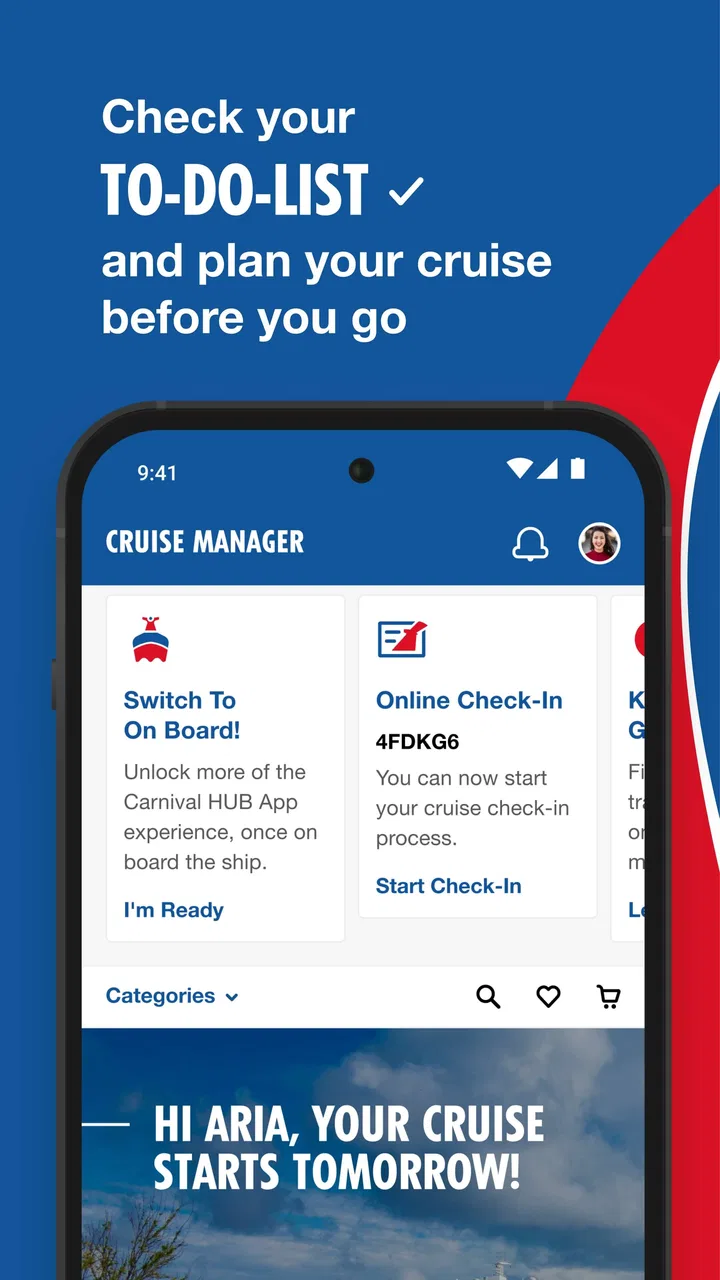
Carnival HUB
- 4.6
- Rating
- 5.00M
- Installs
- Free
- Price

 Analysis by App-foxy
I found Carnival HUB most useful when I treated it as a shared trip companion rather than a general travel app. It is built for people vacationing on a Carnival cruise, and that narrow focus is exactly what makes it practical once everyone is on board. Instead of switching between the cruise line’s information, a paper schedule, messages from relatives, and a separate planning tool, I could keep the important parts of the day in one place.
That matters most in a household or group where people do not move at the same pace. One person may want an early activity, another may be looking for food, and someone else may simply want to know where to meet later. The app does not remove the need to agree on plans, but it can make those plans easier to check while the ship is busy and unfamiliar.
How Carnival HUB fits into a shared cruise day
When I think about Carnival HUB in a shared cruise day, I see its best role as a common reference that lets each person make small choices without losing track of the group’s bigger plans. I would agree on a couple of clear rendezvous points first, then use the day’s cruise information to decide what each person wants to do between them. That balance keeps the app helpful without making the whole vacation feel scheduled.
You May Also Like

 Blood Strike: 2.5 Anniversary
Blood Strike’s Loadouts Turn Every Drop Into a Tactical Gamble
A close look at Blood Strike’s custom loadouts: how fast access to signature weapons reshapes its battle royale rhythm, rewards preparation, and narrows the gap between fights.

 Pandora - Music & Podcasts
Pandora’s Music Is Easy to Start, but Harder to Recover
Pandora’s strength is its low-effort path from a seed to a station. Its weak spot is how much confidence it asks you to place in connection, setup, and quiet recovery.

 8 Ball Pool
 Is Built on Rivalries, Rematches, and Routine
A close look at the rivalries, rematches, shared routines, and unanswered safety questions that turn a quick pool match into a persistent mobile community.

 Samsung Music
’s Quiet Strength Is Playing What You Already Own
Its reach comes less from spectacle than from dependable access to a personal library. That simplicity is both the app’s strongest retention engine and its ceiling.

 AccuWeather: Weather Radar
AccuWeather Review: A Quick, Clear Forecast for Everyday Decisions
For everyday plans, the best forecast is the one you can understand quickly. AccuWeather makes rain timing, radar, and local conditions easy to act on, with a few trade-offs.

 Hill Climb Racing
Why Hill Climb Racing Still Turns Crashes Into One More Run
A tiny car, a bumpy hill and one more upgrade: Hill Climb Racing keeps resurfacing because its simple chaos makes every near-miss feel personal.
More From Our News Desk
View All News


A realistic family and group scenario
Imagine a family spending the morning separately. One adult takes a child to an activity, another heads toward the pool, and a teenager wants to explore independently. On a normal trip, the group may rely on repeated messages such as “Where are you?” and “What time are we meeting?” On a Carnival cruise, where the surroundings can feel similar from one deck to another, that quickly becomes tiring.
This is where I see the app’s strongest everyday value. I can use it as a reference point for the day, checking what is happening and reminding myself of the plan without carrying a printed schedule everywhere. If the group chooses a meeting time, each person can look at the same cruise information rather than depending on one family member to remember every detail.
That shared reference is especially helpful for larger groups. Grandparents, parents, older children, and friends may all have different priorities, so a single timetable is not automatically a single shared experience. I would still agree on a few fixed meeting points before splitting up, but the app makes it easier to build the rest of the day around those anchors.
There is also a useful psychological benefit: people can make smaller decisions for themselves. A family member who is not interested in the next planned activity can check what else is available instead of waiting for someone else to organize the entire afternoon. I would not call that a replacement for communication, but it reduces the amount of coordination that has to happen verbally.
What I would do before relying on it
I would install the app before the cruise, open it, and become familiar with its layout before the first busy day. The developer is Carnival Corporation, and the app belongs to the Carnival experience rather than serving as a universal cruise planner. That means its usefulness depends on the specific vacation context and the information available for the sailing.
My first practical step would be checking that every traveler who needs access can use the app on their own device. A shared household tablet may be convenient at home, but it is less useful if it stays in the cabin while everyone is spread around the ship. For a family, I would prefer each person who is old enough and comfortable with the device to have their own way to consult the information.
I would also avoid assuming that one person’s setup automatically solves the whole group’s setup. Account access, device availability, and personal comfort are separate issues. The person who booked the trip may be the main organizer, but that does not mean children, relatives, or friends will see the day in exactly the same way. Before sailing, I would decide who is responsible for checking updates and how the group will communicate changes.
That boundary is important because the app should support the household’s plan, not become the household’s only plan. I would keep essential booking details and emergency information available through the appropriate official channels as well. Carnival HUB is most comfortable as a day-to-day onboard tool, not as the sole place where every travel document or family decision lives.
Keeping coordination simple instead of constant
A common mistake with any itinerary app is trying to schedule every minute. I found that approach counterproductive for a cruise. The better workflow is to use the app to identify a few activities or time windows, then leave room for meals, rest, and spontaneous choices. A cruise day can change naturally as people discover what they enjoy.
For a household, I would create a simple rhythm: check the day’s information in the morning, choose one or two shared priorities, and agree on the next meeting time before separating. That avoids the exhausting pattern of everyone checking independently and then sending different interpretations to the group.
Another useful habit is checking again before an activity rather than relying only on a morning glance. Schedules and personal plans can become outdated as the day develops. I would not treat an earlier view as permanent confirmation, particularly when a group is making a special effort to reach something at a particular time.
The trade-off is that Carnival HUB can improve coordination only when the group actually uses it consistently. If half the household checks it and the other half ignores it, the app may create another information gap instead of closing one. In that situation, a short conversation and a clearly chosen meeting place may be more effective than asking everyone to learn a new tool.
Boundaries for children, teenagers, and older relatives
The content rating is Everyone, which makes the app suitable for a broad audience in the basic age sense. That does not mean every child should manage cruise plans alone. A younger child may be able to look at information with an adult, while an older teenager may be comfortable checking the schedule independently. Those are household decisions, not something I would outsource to the app.
I would give children only the responsibility they can handle reliably. For example, an older child might check the next agreed activity, while an adult remains responsible for knowing where the group will meet and what happens if someone is late. The app can help a teenager feel more independent, but independence on a ship still needs clear boundaries and a backup plan.
For older relatives, the question is less about age and more about confidence with phones. A family member who dislikes navigating apps may need a quick demonstration and a written fallback. I would show them only the parts they actually need instead of expecting them to understand the entire experience. A simple routine is better than handing over a device and assuming everything will be obvious.
Trust also matters when several people share travel information. I would be careful about whose device is used for account access and would avoid leaving a personal phone unlocked in a public place. That is ordinary digital hygiene, but it becomes more important when a device is passed around between relatives or children.
What the app does better than ordinary alternatives
The usual alternatives are a printed schedule, a group chat, a web browser, or a general calendar. Each solves part of the problem. Paper is easy to share but becomes outdated and is inconvenient when plans change. A group chat is flexible but quickly fills with unrelated messages. A calendar is good for fixed appointments but less natural for browsing the wider onboard experience.
Carnival HUB has an advantage because it is tied to the Carnival cruise environment. I do not have to recreate every relevant detail manually in a calendar, and I am not asking a general travel app to understand the difference between a shipboard activity and a shore-day plan. That specialization makes it more useful during the cruise itself than a generic itinerary organizer.
Its limitation is the same specialization. If I were planning flights, hotels, trains, or a multi-city trip, I would choose a broader travel planner. Carnival HUB is not the tool I would use to organize the entire journey from home to home. It makes more sense as the onboard layer of a larger travel plan.
I also prefer it to relying entirely on a group chat for schedules. Messages are conversational, but they are poor at preserving a clean view of what matters now. A chat may contain a dozen changes, jokes, questions, and photos before someone needs to find the original meeting time. The app gives the cruise information its own space, while the chat can remain focused on personal coordination.
Device sharing and account boundaries
Households often have one person who manages travel apps for everyone. That can work, but it creates a fragile arrangement if the organizer’s phone battery is low, the device is misplaced, or that person is busy elsewhere. I would encourage each capable traveler to know how to access the information they personally need rather than making one phone the group’s single point of failure.
At the same time, not every traveler needs the same level of access or involvement. A parent may want to handle the main planning, while a teenager only needs to check the next activity. A grandparent may prefer a quick explanation each morning. Keeping those roles clear prevents the app from turning into a source of arguments about who changed what or who was expected to check it.
I would also avoid sharing one login casually across unrelated people. A family may be comfortable with shared access, but friends traveling together may have different expectations about personal information and device use. The safest arrangement is the one that matches the household’s trust level and keeps responsibility understandable.
Because this is a mobile app, I would pay attention to practical device issues: battery, screen visibility, and whether everyone remembers to keep the phone available. Those are not glamorous concerns, but they determine whether an app helps in the middle of a crowded day. I would charge devices overnight and keep a simple meeting plan for anyone who cannot or does not want to use the app continuously.
Version, access, and the first-use experience
The current version is 3.36.0, and the minimum operating system is iOS 11 or later. For many travelers that will not be a problem, but households using an older device should check compatibility before the trip rather than discovering the issue after boarding. A shared backup phone can be useful only if it can actually run the app.
The app is free, which removes an obvious barrier when several members of a household need access. I still would not interpret “free” as meaning that it replaces every other travel cost or planning requirement. Its value comes from helping with the Carnival portion of the vacation, while transportation, connectivity, and other travel arrangements remain separate considerations.
With an average rating of 4.5 from around 175 thousand ratings, it has clearly attracted substantial user attention. It has also passed five million installs, so this is not an obscure experiment that only a handful of travelers have encountered. Those figures make me more comfortable recommending that a Carnival passenger try it, although popularity cannot guarantee that every sailing or every device experience will feel identical.
The age rating of Everyone also makes it easier to introduce within a household without worrying that the basic app is aimed at an adult-only audience. Even so, I would explain to younger users that seeing an activity in an app does not mean they can go anywhere without checking with the adult responsible for them.
Small habits that make it more useful
My first tip is to use the app as a decision filter. Rather than asking, “What can we possibly do today?” I would ask, “Which two things matter most to each person?” That turns a long list of possibilities into a manageable family conversation and prevents the organizer from trying to satisfy everyone at every moment.
My second tip is to separate shared commitments from optional activities. A shared meal or meeting time belongs in the first category; browsing an activity that looks interesting belongs in the second. This distinction helps when someone changes their mind. The group knows which plans are firm and which can be skipped without causing confusion.
My third tip is to make the app part of a handoff routine. If one adult is supervising children in the morning and another takes over later, the first person can explain the next agreed plan while showing the relevant information. That is more reliable than assuming the second adult will reconstruct the day from scattered messages.
My fourth tip is to keep a non-app fallback. I would write down a cabin number or agreed meeting location where appropriate, and I would make sure children know which adult to approach if separated. The app can improve awareness, but it should not be treated as a substitute for basic safety habits or direct help from crew members.
Where the experience may feel limited
The narrow purpose can feel restrictive if I want one application to manage the whole vacation. Carnival HUB is not the best answer for comparing independent destinations, storing a complex family itinerary, or coordinating travelers who are not part of the Carnival cruise experience. In those cases, a general travel organizer or calendar may be more flexible.
There is also a learning curve for people who rarely use travel apps. Even a focused interface can feel like extra work when someone is already trying to unpack, find the cabin, and understand the ship. I would introduce it gradually instead of expecting every relative to become an expert on the first day.
Another limitation is behavioral rather than technical: the app cannot make a disorganized group organized by itself. If plans are vague, people do not check their phones, or the household changes decisions without telling one another, confusion remains. The strongest results come when the app supports clear agreements rather than trying to replace them.
I would also be cautious about depending on a single digital view for every important decision. A traveler who needs accessibility accommodations, special assistance, or a precise answer about a personal booking should use the appropriate Carnival support channel as well. The app may be convenient for routine information, but personal exceptions deserve direct confirmation.
Who should install it before sailing?
I would recommend it first to Carnival passengers who like having the day’s options close at hand, families who regularly split into smaller groups, and travelers who dislike carrying paper schedules. It is also a sensible choice for a group where one person usually ends up answering everyone’s questions. Giving other capable travelers direct access can spread that responsibility more fairly.
It is particularly well suited to households with teenagers who want some freedom but still need agreed check-in points. The teenager can become more involved in choosing activities, while the adult keeps the boundaries clear. That is a better use of the app than treating it as a surveillance tool or expecting it to manage a child’s safety automatically.
I would be less enthusiastic for someone who is not taking a Carnival cruise, someone who wants a complete door-to-door travel planner, or someone whose group refuses to use phones during the vacation. In those cases, a general itinerary app, printed plan, or simple group agreement may be less frustrating.
For a solo traveler, the value depends on how much structure they want. Someone who enjoys wandering without a plan may only open it occasionally. Someone who wants to make the most of a limited onboard schedule may appreciate having the options gathered in a Carnival-focused experience.
My household verdict
After using it as a cruise-day companion, I see Carnival HUB as a practical specialist rather than a universal travel solution. Its greatest strength is helping a household share the same onboard reference point while still allowing individuals to choose different activities. That balance is valuable when a family wants time together without forcing everyone into the same schedule.
The app is free, developed by Carnival Corporation, and aimed at Everyone, so it is easy to recommend as a low-risk preparation step for a Carnival vacation. Its 70 thousand reviews show that many travelers have taken the time to describe their experience, while the overall rating remains strong. I would install it before departure, test it on the devices that matter, and explain the basic routine to anyone who may need help.
My honest recommendation is to use it with clear household boundaries: decide who checks the day’s information, separate firm meetings from optional choices, and keep a simple backup plan for people who are offline or uncomfortable with apps. The best result comes when Carnival HUB reduces coordination work without becoming the family’s only source of truth.
That is why I would suggest it to a friend boarding a Carnival cruise, especially one traveling with relatives or a mixed-age group. I would not promise that it will solve every planning problem, but I would expect it to make the onboard part of the vacation easier to navigate, easier to discuss, and less dependent on one overworked organizer.
FAQs for Carnival HUB
01What is Carnival HUB and what features does it offer?
Carnival HUB is the official app for Carnival Cruise Line, designed to enhance your onboard experience. It offers features like a daily schedule of activities, deck plans, dining options, and the ability to chat with other passengers. You can also book shore excursions and view your account balance directly from the app.
02Is Carnival HUB available for both Android and iOS devices?
Yes, Carnival HUB is available for download on both Android and iOS devices. You can find it on the Google Play Store for Android devices and the Apple App Store for iOS devices. Ensure your device meets the compatibility requirements before downloading.
03Can I use Carnival HUB without purchasing an internet package on the cruise?
Yes, you can use Carnival HUB without an internet package. The app is designed to work over the ship’s Wi-Fi network, which doesn't require an internet package for access. However, some features, like social media access, will need an internet package.
04How does the chat feature on Carnival HUB work?
The chat feature on Carnival HUB allows you to stay connected with fellow passengers for a small one-time fee per device. Once activated, you can send and receive messages throughout your cruise. It's an easy way to coordinate plans and stay in touch with friends and family onboard.
05Is it necessary to create an account to use Carnival HUB?
You do not need to create an account to access most features of Carnival HUB. However, for personalized experiences like booking shore excursions or viewing your account balance, you will need to log in using your Carnival booking information. This ensures all your trip details are accurately reflected in the app.
Pros
- Easy navigation for quick access to features.
- Personalized daily schedules and updates.
- Seamless integration with onboard services.
- Real-time activity reminders keep you informed.
- Offline mode supports use without internet.
Cons
- Limited functionality off the ship.
- Occasional login issues reported.
- Notifications can be overwhelming.
- Requires frequent updates for smooth use.
- Some features hidden behind paywalls.

Carnival HUB
Gallery